Latest Updates
Who's Online

Please sign in to add comments
 I was holding out for FF7 pricing. Heartbreak
Cart Contents
| Item: | Price: | Qty: |
|---|---|---|
| Total: R 0.00 | ||
User Content
Latest Poll
Feature
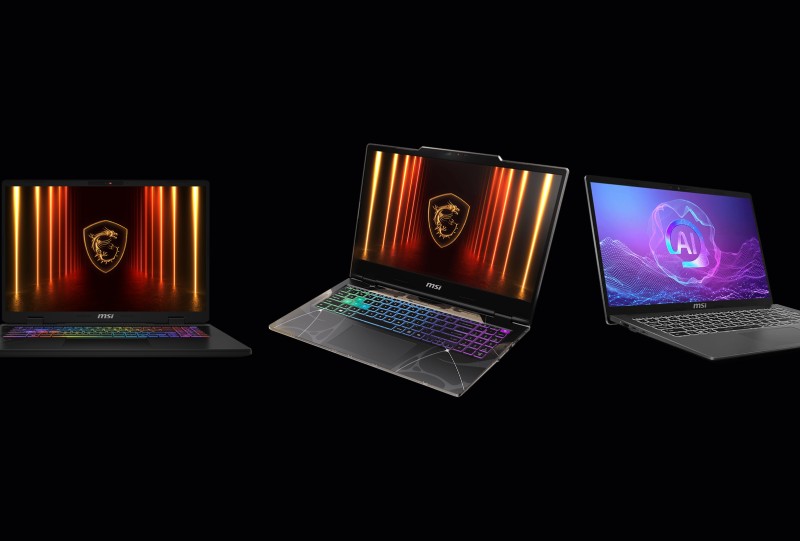
MSI Modern A15 AI+ vs Cyborg 15 vs Crosshair 17 HX AI: Which MSI Laptop Should You Buy in South Africa?
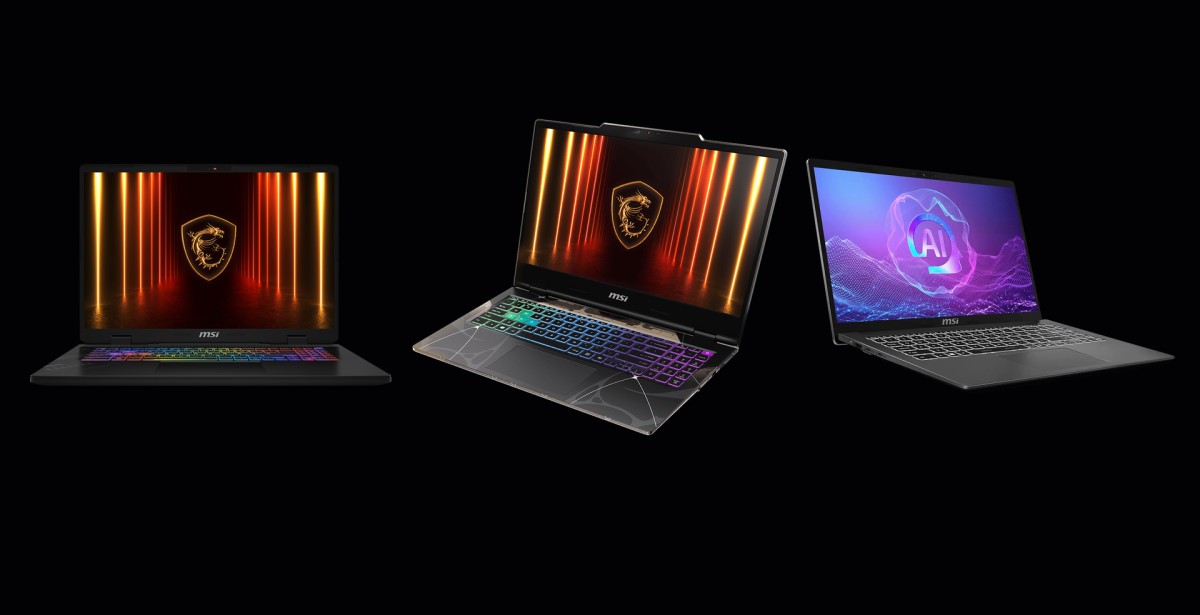
There was a time when buying a laptop was relatively simple. You found one within your budget, checked whether it had enough RAM, and hoped it didn't sound like a jet engine whenever you opened Chrome. Things are a little different these days. MSI has laptops aimed at practically every kind of user, from students who need something they can throw into a backpack every morning to hardcore gamers looking for a desktop replacement. The problem isn't necessarily finding an MSI laptop. It's figuring out which one actually makes sense for you. That's where the MSI Modern A15 AI+, MSI Cyborg 15 and MSI Crosshair 17 HX AI come in. They might all carry the same MSI badge, but these are three very different machines.
MSI Modern A15 AI+ F3HMG-012Z

• CPU: AMD Ryzen AI 5-330 up to 4.5GHz Processor
• GPU: AMD Radeon 820M
• Display: 15.6" FHD (1920x1080) IPS-Level Display
• Memory: 16GB DDR5 RAM
• Dimensions: 323.9 x 217.2 x 19.9 mm
• Weight: 1.4 kg
• Price: R13,999 at Evetech, Computer Mania and Amazon South Africa
• Best For: Students, professionals and everyday productivity users who prioritise portability.
MSI Cyborg 15 B2RWEKG-092ZA

• CPU: Intel Core 7 240H Processor
• GPU: NVIDIA GeForce RTX 5050 Laptop GPU 8GB GDDR7
• Display: 15.6" FHD (1920x1080), 144Hz, IPS-Level
• Memory: 16GB (2x8GB SO-DIMM) DDR5-5600 RAM
• Dimensions: 359.3 x 245.25 x 22.15-23.15 mm
• Weight: 2.1 kg
• Price: R20,999 at Incredible and Computer Mania
• Best For: First-time gaming laptop buyers who also need a laptop for work or studying.
MSI Crosshair 17 HX AI D2XWFKG-070ZA

• CPU: Intel Core Ultra 7 255HX Processor
• GPU: NVIDIA GeForce RTX 5060 Laptop GPU 8GB GDDR7
• Display: 17” QHD+ (2560x1600), 240Hz, IPS-Level
• Memory: 16GB DDR5 RAM
• Dimensions: 383.2 x 279.9 x 22.2-29.7 mm
• Weight: 2.8kg
• Price: R33,999 at Computer Mania
• Best For: Serious gamers and creators who want a large high-refresh-rate display and stronger performance.
Before we dive head-first into the finer details of each laptop, this FAQ will cover the basics:
MSI Modern A15 AI+, MSI Cyborg 15 and MSI Crosshair 17 HX AI FAQ
Which MSI laptop is best for everyday use?
The MSI Modern A15 AI+ is the most suited to everyday productivity, studying, browsing, streaming and office work. Its more portable design makes it particularly practical for students and professionals.
Which MSI laptop is best for gaming?
The MSI Crosshair 17 HX AI is built for the highest level of gaming performance of the three, with powerful CPU and GPU configurations and a high-refresh-rate QHD+ display. The Cyborg 15 is a more portable alternative for gamers who still want strong performance.
Is the MSI Cyborg 15 good for students?
Yes. The Cyborg 15 is a good option for students who want one laptop for both work and gaming. Its relatively manageable size makes it easier to carry around than larger gaming laptops, while its dedicated GPU gives it considerably more gaming capability than a typical productivity notebook.
Which MSI laptop is the most portable?
The Modern A15 AI+ is the most portable option of the three. It's designed primarily as an everyday laptop, making it better suited to being carried between home, university, the office and other locations.
Which MSI laptop should I choose?
It depends on what you need from your laptop. Choose the MSI Modern A15 AI+ for everyday productivity and portability, the MSI Cyborg 15 if you want a balance between work and gaming, and the MSI Crosshair 17 HX AI if performance and a larger gaming display are your priorities.
Which MSI laptop is best for university students in South Africa?
The MSI Modern A15 AI+ is well suited to students who prioritise portability, productivity and everyday use. Students who also want to play modern PC games should consider the MSI Cyborg 15, which adds dedicated NVIDIA GeForce RTX graphics and a 144Hz display.
Should I buy the MSI Cyborg 15 or Crosshair 17 HX AI for gaming?
Choose the MSI Cyborg 15 if you want a more portable and affordable gaming laptop for both work and play. Choose the MSI Crosshair 17 HX AI if gaming performance, a larger QHD+ 240Hz display and heavier creative workloads are your priorities.
MSI Modern A15 AI+: For the Everyday User

Let's start with the MSI Modern A15 AI+, because this is probably the easiest one to explain. It's not trying to be a gaming monster. It's not trying to replace your desktop. Instead, it's designed to be the laptop you use for pretty much everything else.
Depending on the configuration, the MSI Modern A15 AI+ comes with AMD Ryzen processors and integrated Radeon graphics, alongside DDR5 memory and a 15.6-inch Full HD display. And honestly, that's enough for a surprisingly large number of people.
If you're a university student writing assignments, a young professional working from home, or someone who spends most of their day in Microsoft Office, Google Chrome, Teams and Spotify, you don't necessarily need an RTX GPU sitting inside your laptop.
What you do need is something that's portable, reliable and comfortable to use every day. That's where the MSI Modern A15 AI+ makes sense. At around 1.6kg in some configurations, it's considerably easier to carry around than the larger gaming-focused machines further down this list. You can take it to lectures in the morning, use it at work during the afternoon and watch Netflix on it at night without feeling like you've packed a small desktop PC into your backpack.
Gaming is possible, too, although expectations need to be realistic. This isn't the machine I'd recommend if your Steam library is the primary reason you're buying a laptop. But if gaming is something you occasionally do rather than something you live for, the MSI Modern A15 AI+ could be exactly what you need.
The MSI Modern A15 AI+ is best for people who prioritise productivity, portability, battery-conscious everyday use and a professional design. It's the laptop you take to university, the office or a meeting without thinking twice.
MSI Cyborg 15: The Best of Both Worlds?
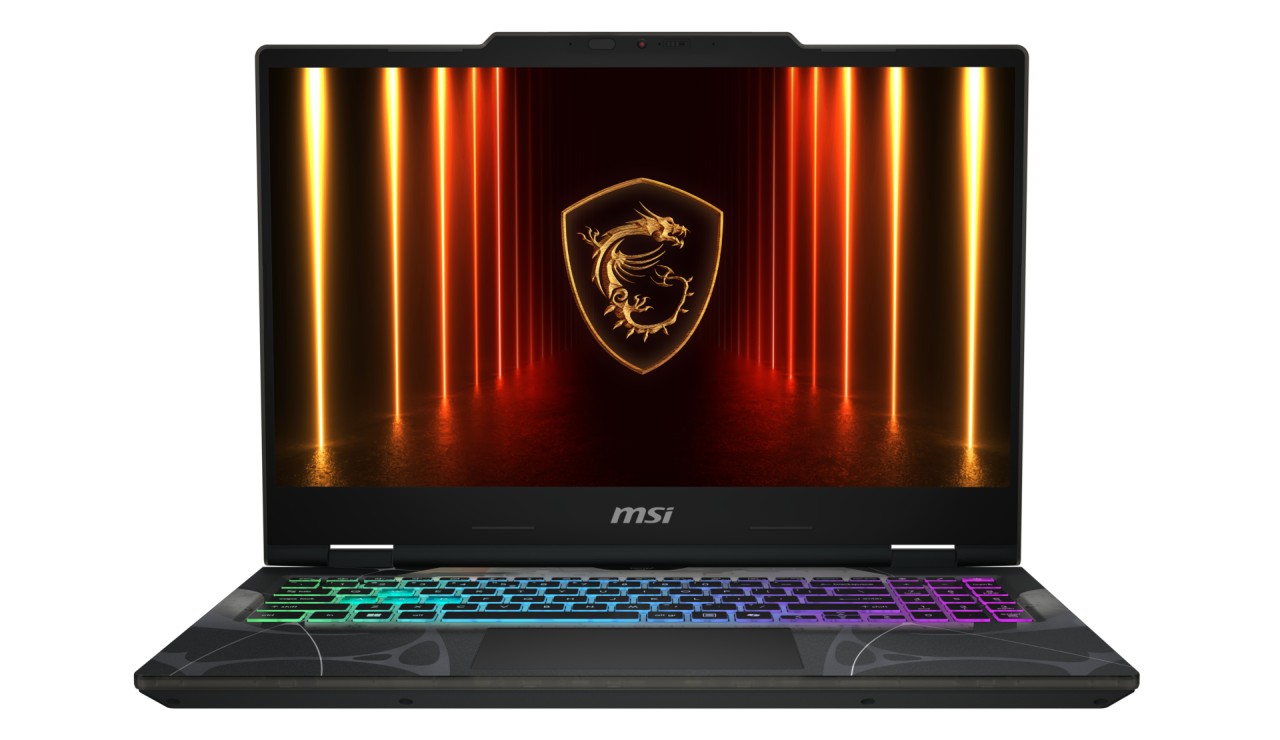
This is where things get interesting. The MSI Cyborg 15 takes the relatively portable laptop formula and throws proper gaming hardware into the mix. With this model available in South Africa, you can get an Intel Core 7 processor, an NVIDIA GeForce RTX 5050 Laptop GPU, 16GB of DDR5 memory and a 15.6-inch Full HD display running at 144Hz.
That last number is important. Once you've used a high-refresh-rate gaming display, going back to 60Hz can feel a little like travelling through time. Everything from mouse movement to fast-paced games feels smoother, and it's particularly useful for competitive titles where responsiveness matters. The RTX GPU also gives the MSI Cyborg 15 something the MSI Modern A15 AI+ doesn't have: considerably more headroom for modern games.
But there's another reason I like the idea behind the MSI Cyborg 15. You don't necessarily have to choose between having a laptop for work and another machine for gaming because the MSI Cyborg 15 can do both. It has enough portability to make sense for students and young professionals, while its gaming hardware means you can close the workday, open Steam and spend the evening playing your favourite games.
It also looks like a gaming laptop. The translucent styling isn't exactly subtle, but if you're buying a MSI Cyborg 15, that's probably part of the appeal. This is the laptop for someone who wants to work hard and play harder without carrying around a 17-inch behemoth.
The MSI Cyborg 15 is best for the user who needs a practical laptop but also wants proper gaming performance. Its RTX graphics and 144Hz display make it substantially more gaming-focused while retaining a relatively manageable size.
MSI Crosshair 17 HX AI: Bring the Big Guns
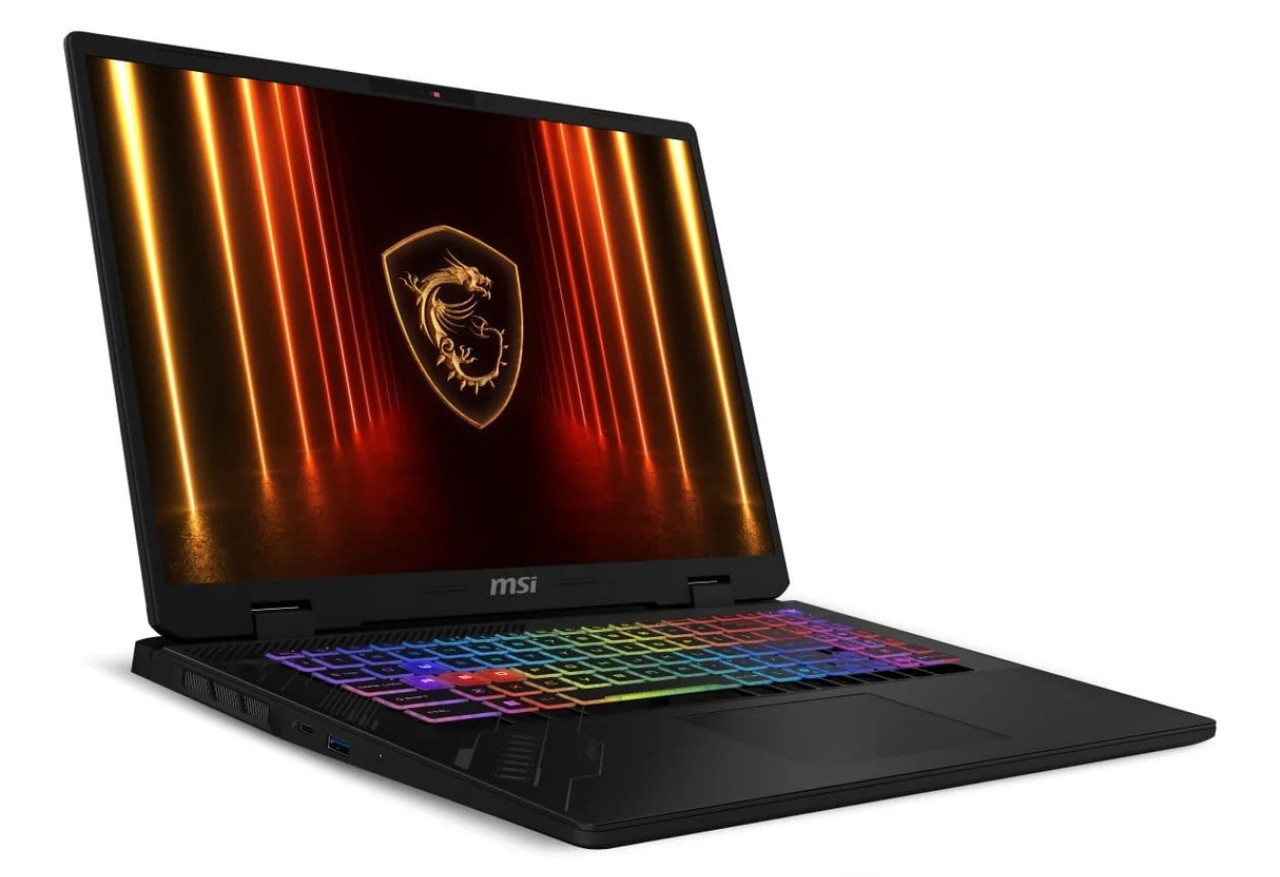
And then there's the MSI Crosshair 17 HX AI. If the MSI Modern A15 AI+ is the sensible everyday car and the MSI Cyborg 15 is the sporty hatchback, the MSI Crosshair 17 HX AI is the supercar you've always dreamed of owning. With this model available in South Afirca, you're looking at hardware such as an Intel Core Ultra 7 255HX Processor, an NVIDIA GeForce RTX 5060 Laptop GPU, 16GB of DDR5 memory and a huge 17-inch QHD+ display running at up to 240Hz.
That's not just a gaming laptop, that's a portable workstation with very strong gaming potential. The larger display is one of the biggest advantages here. Games look fantastic at QHD+, but the extra screen real estate is also useful if you're working in creative software, editing video, developing games or simply want more room to have multiple applications open at once.
And with considerably more CPU and GPU power than the other two machines, the MSI Crosshair 17 HX AI is built for workloads where performance matters. Naturally, there is a catch. It's big, it's heavy, and you're probably going to notice the power brick in your bag. This isn't the laptop you buy because you want something easy to carry around campus. You buy it because you want desktop-class performance without being permanently chained to a desk.
The MSI Crosshair 17 HX AI is best for the person who wants performance above almost everything else. Its powerful CPU and GPU combination, large QHD+ 240Hz display and substantial upgrade potential make it the natural fit for demanding gaming and heavier creative workloads.
So, Which MSI Laptop Should You Buy in South Africa?
This is where things become fairly straightforward. If you're primarily looking for a laptop for work, university, browsing, streaming and everyday productivity, the MSI Modern A15 AI+ is the machine to look at. It's portable, practical and doesn't spend money on gaming hardware you might never use.
If you want something that can handle your work during the day and your gaming addiction at night, the MSI Cyborg 15 hits that sweet spot between portability and performance. It's considerably more gaming-focused than the MSI Modern A15 AI+ while remaining easier to live with than a huge 17-inch gaming laptop.
If you're the kind of person who looks at a gaming laptop and thinks, “Yeah, but can it replace my desktop?”, that's where the MSI Crosshair 17 HX AI enters the conversation. Its powerful hardware and enormous high-refresh-rate display make it the most performance-focused option of the three. Just don't expect it to disappear into your backpack.

Please login to post comments.
More Features
New and Returning Anime This October 2026
With October bringing a new change in season as well as Spooky Season, it also brings in a new anime...
29-09-26 Read more
MSI Modern A15 AI+ vs Cyborg 15 vs Crosshair 17 HX AI: Which MSI Laptop Should You Buy in South Africa?
There was a time when buying a laptop was relatively simple. You found one within your budget, checked...
28-09-26 Read more

Top 10 Things To Do at Comic Con Africa 2026
Comic Con Africa opens its doors this week as South Africa’s premier destination for all things geek...
23-09-26 Read more

Shoma Govender's Game Over Cancer Campaign Taps Into Tabletop & Board Gaming at Nexus Hub
Gaming communities are often at their best when they come together for something bigger than the games...
22-09-26 Read more

Comic Con Africa 2026 International Guests Roundup
With Comic Con Africa 2026 only a week away, the excitement and hype is slowly building towards the ...
15-09-26 Read more
BlizzCon 2026: All the Biggest Announcements
After taking a three-year break, BlizzCon has finally returned, and Blizzard had plenty to announce...
14-09-26 Read more

Cyberpunk 2077 Would Be Even Better If It Were More Deus Ex And Less Assassin's Creed
Five years, a dozen major patches, and one sizeable expansion have evolved, expanded, and improved Cyberpunk...
07-09-26 Read more

Mrs South Africa Finalist Shoma Govender Launches Game Over Cancer Fundraiser
For Mrs South Africa finalist, Shoma Govender, the journey towards the crown has become about far more...
05-09-26 Read more

Five Best Announcements From Gamescom Opening Night Live 2026
Gamescom Opening Night Live 2026 has passed, delivering yet another stacked show filled to the brim ...
26-08-26 Read more

The Witcher 3 Remastered Stole The Show at Gamescom – Here’s What to Expect
While we knew CD Projekt Red was going to debut its Songs of the Past expansion pack for The Witcher...
26-08-26 Read more