Latest Updates
Who's Online

Please sign in to add comments


Cart Contents
| Item: | Price: | Qty: |
|---|---|---|
| Total: R 0.00 | ||
User Content
Latest Poll
Review
Review: WD Black SN850P
Back to black.
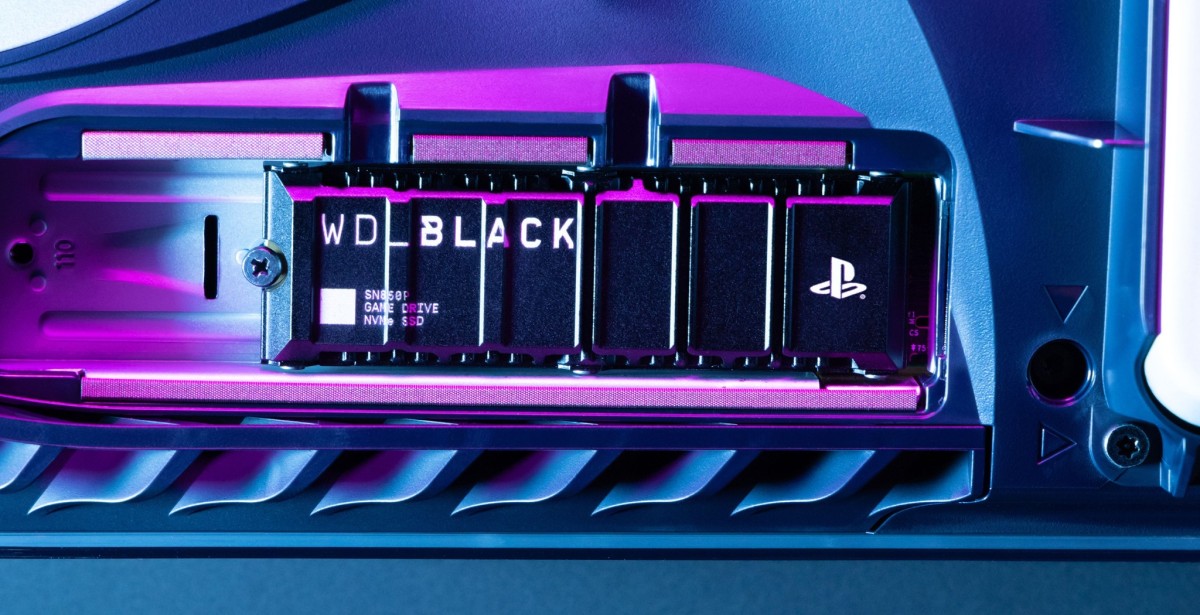
WD sent over one of their officially licensed PlayStation branded NVMEs for review recently and I had the opportunity to put it through its paces just to see how good it actually is. Sporting a sleek black finish and the iconic PlayStation logo on the heatsink, the WD Black SN850P is a cool piece of tech that really does look premium.
Does it live up to the hype, though? And more importantly, should you pick this up if you’re looking for a PS5 compatible NVME drive?

First and foremost, here are the technical specifications of the WD Black SN850P:
- 1TB Solid State Drive
- PlayStation 5 Ready Pre-Installed Heatsink
- Form Factor: M.2 2280
- Interface: Interface4 Pcie® Gen4 16gt/S, Up To 4 Lanes
- Nand Western Digital® Tlc 3d Nand
- Sequential Read Speed: Up to 7,300MB/s
- Sequential Write Speed: Up to 6,300MB/s
- Random Read (up to): 800K IOPS
- Random Write (up to): 1,100K IOPS
- Endurance Rating: 600TBW
- MTTF: Up to 1.75 Million Hours
- 5 Year Warranty
With that out the way, let’s dive right in. This is a PlayStation branded and officially endorsed NVME drive and as such, it will work straight out of the box when installed in a PlayStation 5 console. I’ll circle back to this in a bit since what I really wanted to see here is how the NVME performed in a PC when under load from a benchmarking tool like CrystalDiskMark.
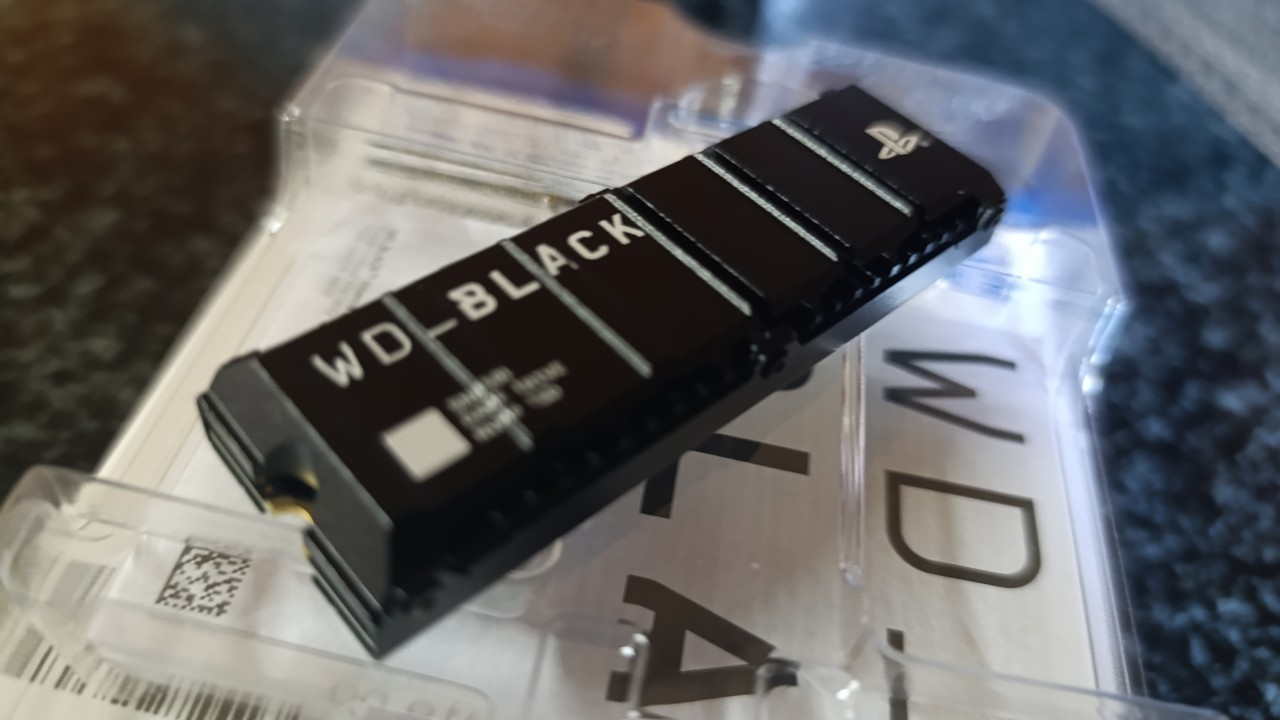
Unboxing the device was straightforward and it sits snugly inside a cardboard and plastic container with a blue PlayStation aesthetic. There’s no confusion here, this is clearly a PlayStation marketed product.
The drive itself is quite small as expected from the NVME form factor but notably has a chunky heatsink. This is incredibly important for the PlayStation 5 while it’ll be less so for PCs with adequate cooling systems in place. With that said, under load, your mileage will obviously vary depending on ambient temperatures and how hot your system runs in general. Rest assured though that inside a PlayStation 5 device, this NVME with its chunky heatsink will be perfectly fine.

Installing the NVME in my PC was a breeze. Simply push it into the M.2 2280 slot and tighten the screw to secure it in place. Getting it to run on PC does need you to format it and partition it accordingly but this is done via Disk Management in a few simple steps. If you are a complete computer newbie, you can also find some great support and instructions on Western Digital’s support website here. It’s very straightforward though. Once you’ve set up the drive and your OS detects it, you’re good to go. Easy peasy!
After installing the NVME, I immediately opened up CrystalDiskMark 8.04 Shizuku Edition (Anime fans rise up!) and ran all 4 benchmark tests 4 times to obtain an average score for each test. The results of this can be seen below:

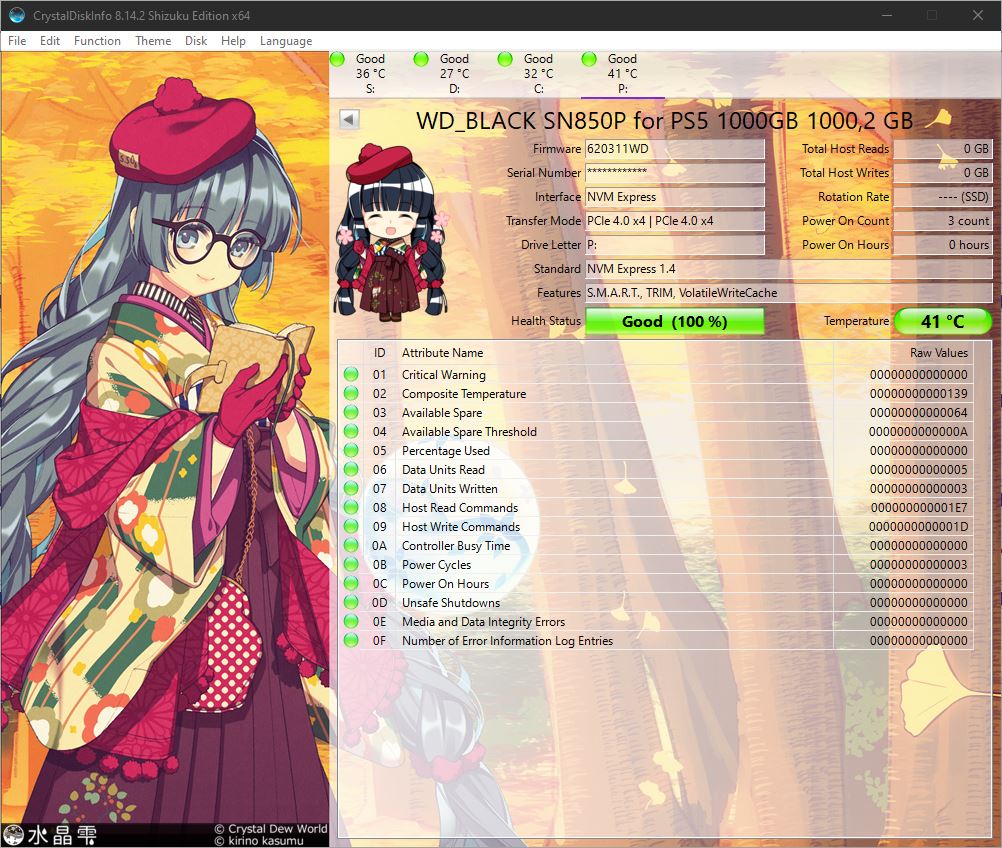
Interestingly, the real world performance of the drive averaged out over 4 consecutive tests at 6929.99 MB/s Read and 6380.84 MB/s Write. This is pretty much in-line with the manufacturer’s claims with the Write speed actually being a tiny bit higher in this case on average. CrystalDiskInfo showed the device’s vital information as below:
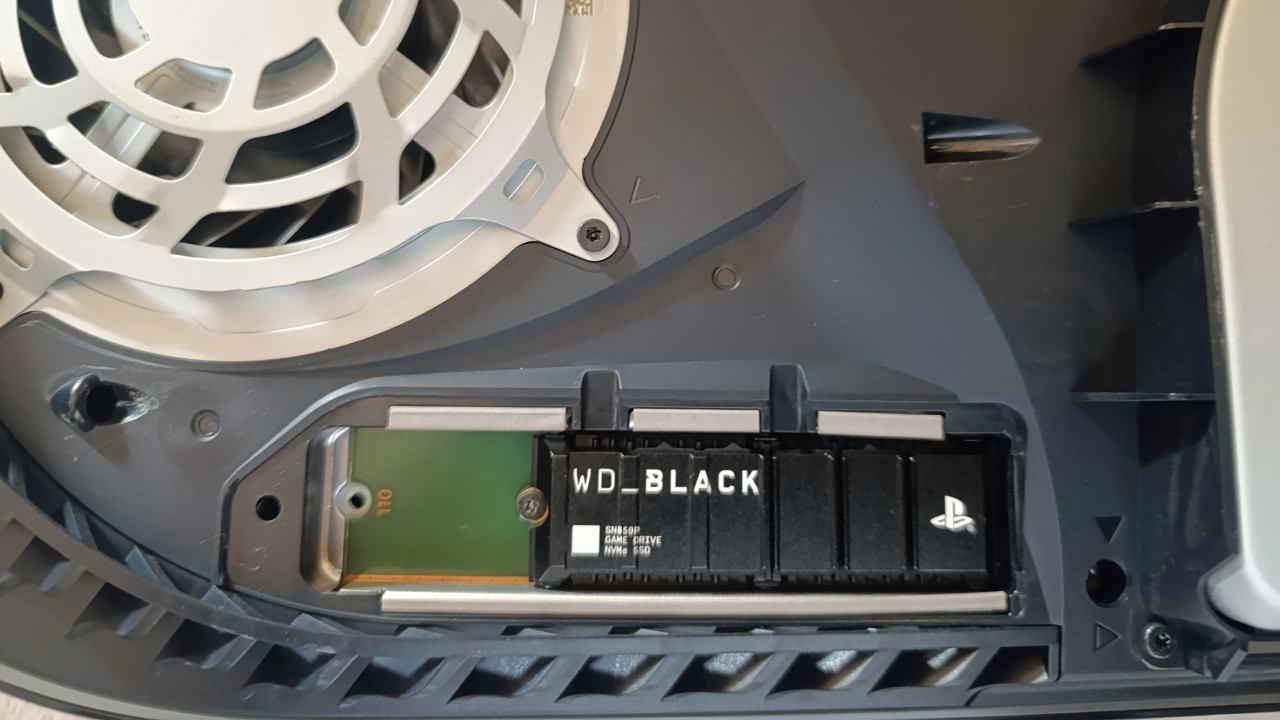
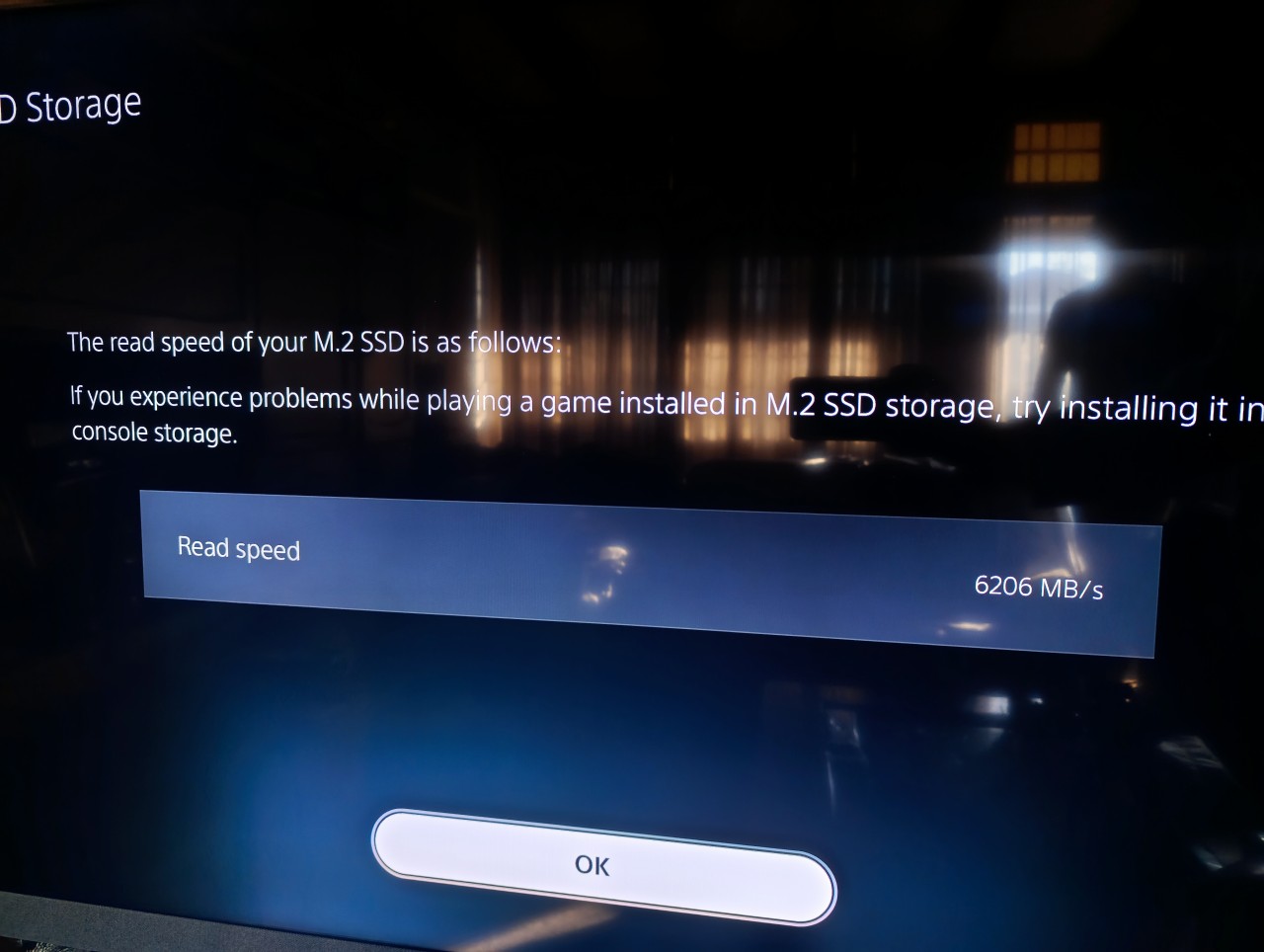
Since this is a PlayStation targeted NVME I had to test it in my PS5 console it and this was also a breeze to do. You need to simply pop off the plastic outer shell of the PS5 to expose the M.2 slot and simply insert the NVME into it and tighten a screw. The exact same process as installing it on a PC but this time, just on a console. Once you reconnect your PS5 and boot it up, it will immediately detect the drive and ask you to format it for use with the console. Once you do this it will also tell you its expected Read speed and you’re good to go.
To test the speed of the drive, I first transferred over 150GB of installed game files over to the NVME from the console’s internal storage. This took less than 30 seconds to do which is blisteringly fast. I’m not sure what I was expecting but it certainly was not that! Being used to seeing files copying for ages across standard SATA hard drives and external drives on console clearly psychologically conditioned me into expecting to wait much longer. Transferring 150gb of game files so quickly on a console was mind-blowing to say the least.
Before transferring my files though I did do some basic testing with the PS5’s internal storage by loading up Final Fantasy VII Remake. I timed the loading time to go from opening the game to getting into a playable state in-game. This came in at 16.36 seconds. After transferring the game files to the SN850P and launching the game I did the exact same thing. To my surprise it only took me 9.90 seconds to get into the game in a playable state. Thus, the blisteringly fast NVME shaved off a whole 6 and a half seconds in loading time.
I tested this with another game too however, this one didn’t show such a significant change but this is partly due to the network features being essential to the game. Monster Hunter Wilds opened up to a playable state in 1 minute 23.88 seconds with the PS5’s internal drive. When moved to the NVME, it took 1 minute 21.70 seconds. Sure it’s 2 seconds faster but the real bottleneck with this game is the fact that you need to connect to the PlayStation Network for an online session which slows things down quite a bit.
Therefore, it can be concluded that the NVME can and will make a difference to your loading times with games that do not require online services. If you want to shave off a good few seconds in loading times, install your games on the NVME since it’s clearly a lot faster than the PS5’s internal storage which runs at 5500 MB/s Read.
With all the testing out the way the real question that needs answering now is, is the SN850P worth it? Coming in a hefty price point that fluctuates between R3,899 and R4,219 depending on which retailer you’re purchasing from, this drive is extremely pricey, all things considered. Yes, you’re getting the PlayStation endorsement and branding here but it comes at a premium. Users may want to do some research into alternative drives which have the same Read and Write speeds and come in at a lower price point. The added heatsink is a benefit here but you can quite literally purchase cheap third party heat sinks and add them to standard heatsink-less NVMEs yourself nowadays for a fraction of the cost.
Overall, the WD Black SN850P is a drive that ticks all the right boxes and lives up to its claims. It’s an excellent product that’s well-designed and clearly does its job well. However, in the South African market it has a lot of tough competition from other manufacturers who have NVMEs priced significantly lower per GB in general and users will find alternatives without much effort. Only get this drive if you absolutely MUST have a PlayStation endorsed NVME otherwise, look to competitors like Samsung or Crucial instead and you’ll find cheaper alternatives that are just as fast. Interestingly, the WD Black SN850X which also works in the PS5, has an RGB light and is basically the same drive is cheaper, so WD are competing with themselves here too.


Please login to post comments.
More Reviews

Review: The End of Oak Street
The End of Oak Street is not what you’d expect just from looking at the name. You would think it’s maybe...
14-08-26 Read more

Review: Halo: Campaign Evolved
Halo: Campaign Evolved is perhaps the greatest example of a remake that didn’t really need to happen...
29-07-26 Read more

Review: The Odyssey
Homer’s Odyssey is a story that has been told time and time again, going through several different iterations...
21-07-26 Read more

Review: MSI Modern 16S AI+
Finding the right notebook isn't nearly as simple as it used to be. Walk into any retailer today and...
20-07-26 Read more

Review: Evil Dead Burn
The Evil Dead series is one horror franchise that always stayed in its own pocket, never bowing to industry...
13-07-26 Read more

Review: Ascend to Zero
As far as storytelling goes, there are very few things more stressful for your average protagonist than...
10-07-26 Read more

Review: Star Fox
For the nearly half-dozen times that Nintendo has attempted to remake or remaster Star Fox, it has always...
09-07-26 Read more

Review: Assassin's Creed: Black Flag Resynced
Any time that someone has asked me what my favourite game is, without hesitation, I have always confidently...
08-07-26 Read more

Review: MSI Raider 16 Max HX
Gaming laptops have always been built around compromise. If you wanted desktop-level performance, you...
02-07-26 Read more

Review: Widow's Bay
Apple TV’s output of quality shows has continued to impress me. Between Severance, Silo and Pluribus...
30-06-26 Read more