Latest Updates
Who's Online

Please sign in to add comments


Cart Contents
| Item: | Price: | Qty: |
|---|---|---|
| Total: R 0.00 | ||
User Content
Latest Poll
Review
Corsair K65 LUX RGB Compact Mechanical Keyboard
When Compact brings the world to your fingertips.

I recently found myself looking for a new keyboard after my four year old membrane started to show its age, along with the fact that my desk had gotten radically smaller as my computer room was shifted to hold more computers in comfort. At the time, I wasn’t sure if I was keen on the idea, but I had heard of keyboards that lacked a numpad. I gave it a shot by buying a brand that I was somewhat used to (the same brand as my outgoing membrane) but after less than two months, I needed to replace this one already.
Then came along my Corsair K65 LUX Cherry MX Red RGB Compact Mechanical Gaming Keyboard.
Shockingly, the moment it hit my desk, I fell in love with the small size of the tenkeyless K65 – probably the most noticeable feature of this keyboard. Even as a tenkeyless keyboard, it has minimal rim, so it really saves on space. It reminded me of how clunky a full size keyboard was on my desk, and as a gamer, I won’t look back on making the decision to remove the numpad and have extra freedom to use my MMO Mouse (perhaps a review for a later day). However, the thought never crossed my mind that when work comes home, I’m stuck playing seek and destroy with the top row to enter numbers. It is a gaming keyboard, but one does not just use a keyboard for only a single purpose.
The keyboard is pretty sturdy at 0.85kg – 0.94kg with the detachable wrist rest – and has an anodized brushed aluminium frame. Each corner has a rubber pad to make sure that it doesn’t move. Even the fold out feet, while being plastic, have a thin layer of rubber to keep the position of the keyboard when it is propped up. The easy to clip in wrist rest has a soft-to-the-touch, almost rubbery feel to it, which feels great for long gaming sessions. However, any dirt or grease (even sweat) is very visible and not really appealing. Being somewhat of a clutz, and an easy pressured gamer, this means that anything I might possibly mess will leave a mark, and it must be wiped off with a damp cloth or it’ll be sticky or become bothersome, or just plainly look bad.
The K65 is indeed a red cherry mechanical keyboard that comes with a 45g operating force and an actuation distance of 2mm without that definite click. This means that it takes just enough force for me to press it only slightly to get the reaction I want while I’m gaming. The anti-ghosting ensures that keys I’m not pressing don’t get picked up, regardless of any combination I might be holding down, and a 104 key rollover means that my days as a button basher are limited the longer I have this keyboard. In fact, if I were to turn the keyboard upside down and press it against my desk, every single key would register. How neat is that?
For my more dainty hands, the standard key spacing had me spread the fingers to get to my preferred Push To Talk button, an issue I didn’t seem to have with my previous keyboard, but I am grateful for the gentle concave shape that my fingers can rest in. The keyboard also comes with an extra ten, tread plate textured keys and a key cap puller, especially for FPS and MOBA players, and the space bar comes standard with the same tread plate texture.
Shifting from membrane to the K65 has one major drawback from me – it’s noisy. Now, most mechanical keyboards are known for their precision so users accept the noise as collateral damage, but the red cherry removes the click sound that would normally come with actuation. So, it must be “bottoming out” which is the key hitting the top of the keyboard. I tend to abuse my keyboards – abuse might be understating just that. A mechanical keyboard that goes through rage typing of 75 words per minute sounds like a tank is face-rolling continuously over it, and is clearly audible through not just my headset, but that of those around me too. This raises eyebrows. How can a cuddly little person like me make this much noise at someone across the internet? But, beyond the loud clickity clack, the keyboard is incredibly resilient and responsive, and rage deletion for spelling errors are rare – keeping my focus on defeating the in-game monsters (or players) with my words instead.
Then, the RGB. Now – don’t crucify me – but I honestly find this RGB lights thing a little overrated when it comes to computers…. And I love unicorns and sparkles. But. I do love that the K65 LUX, in its small size, can light up my whole desk. The Corsair Utility Engine (or CUE for short) is really simple to use, and if you are a Corsair fan like myself, you already have the software installed and ready to go. Just plug it in and the software discovers it, searches for the drivers and updates it with a click of a button. Set up some profiles for macros and choose from an array of different lighting configuration. Personally, I like that my most used keys are light up one colour and a left to right rainbow wave flows over every few seconds, but there are so many other interesting presets to choose from and making a custom lighting arrangement is incredibly simple.
The cable is also an important feature for some, and I am both impressed and unsure of how I feel about this: it’s a two meter, fairly thick, braided cable that splits into two USB ports. For some reason, the USBs are pretty large and I struggled to fit in all my USBs around these two. Thankfully, it’s not necessary to use both unless you only have 2.0 USB ports on your motherboard; otherwise, only the keyboard icon USB into a 3.0 USB port and Bob’s your uncle. Pity I didn’t realise that till a few weeks later…
Of course, the K65 LUX comes with a plethora of other attributes and features.
The USB pass-through port on the back of the keyboard is perfect for plug and forget wireless USBs or even to plug in a mouse or headset to keep the cable close to home.
BIOS Mode Switch, found right next to the USB pass-through, allows your keyboard to work with legacy motherboards and setups. However, when using this mode, the full-key rollover is disabled, which isn’t preferable.
The keyboard has two LEDs on the top right corner for Caps and Scroll Lock. And, if you are in BIOS Mode, the Scroll Lock LED will flash to make sure you remember you have put it in this state.
The large font keycaps allow for the RGB to shine through, making the letters clear to see. The RGB brightness can be toggled through three modes by using the Brightness Control button on the keyboard, which is amazing when you don’t want to be blinded if playing in the dark – if that’s your thing.
For media lovers, the keyboard has “dedicated” media keys, though, I can only find the Volume Up, Volume Down and Volume Mute buttons to be particularly dedicated. The function keys F9 through F12 do serve media purposes when used in conjunction with the FN key.
Lastly, Corsair have included a Windows Lock button to disable accidentally pressing the Windows key next to the ALT key, and bringing you into your desktop.
What the K65 doesn’t come with is probably a somewhat short list. Only one thing I really feel I should mention: dedicated macro keys, and indeed, it is a compact keyboard. Corsair have said that every key on the keyboard is macro-able, and using CUE, that is indeed true.
All in all, I find this keyboard meets all my requirements for gaming. It is a size fitting for my desk, doesn’t move around and responds well. I love that I can dim the RGB LEDs when it gets a bit darker, and the customised rainbow wave across my desk is fitting for me.


Please login to post comments.
More Reviews

Review: Gears of War: E-Day
Xbox’s flagship Gears of War series has had a bit of an identity crisis over the last decade. After ...
01-10-26 Read more

Review: Gachiakuta
Gachiakuta took the world by storm when it first aired from July to December 2025. With its gritty animation...
28-09-26 Read more

Review: Elden Ring: Tarnished Edition (Switch 2)
What can I say about Elden Ring that hasn’t already been said? From Software’s magnum opus originally...
21-09-26 Read more

Review: The Blood Of Dawnwalker
Rebel Wolves’s The Blood of Dawnwalker has often been compared to The Witcher III: Wild Hunt from fellow...
15-09-26 Read more

Review: Marvel's Wolverine
When I think about some of PlayStation Studios’ most consistent developers, Insomniac Games always ranks...
10-09-26 Read more

Review: Dumb Ways to Build
Originally a public service announcement which discouraged the Australian public from thoughtless activity...
09-09-26 Read more

Review: Orbitals
Booting up Orbitals for the first time, I was immediately hit by a warm wave of nostalgia like the food...
08-09-26 Read more

Review: Onimusha: Way of the Sword
It’s a good year to be a fan of action games, and an even better year to be a fan of Capcom. After delivering...
31-08-26 Read more

Review: Spa Weekend
I was invited to attend an exclusive preview screening of the film Spa Weekend on August 20th at Sandton...
21-08-26 Read more
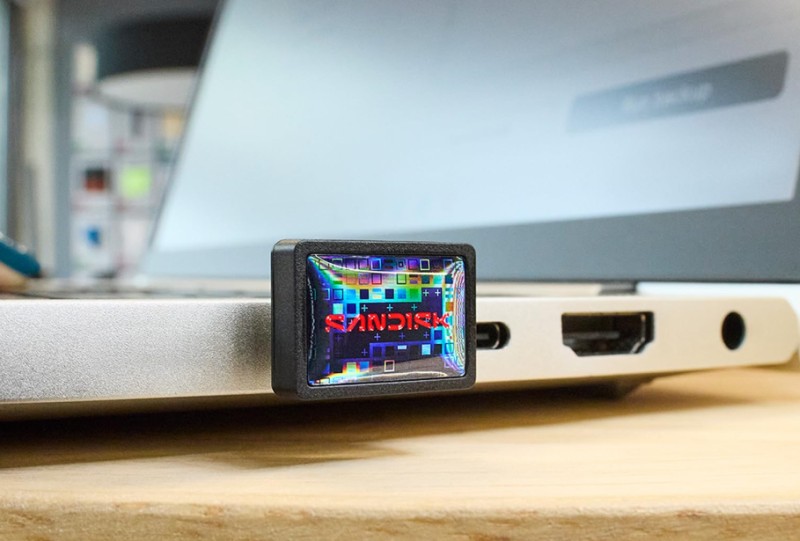
Review: SanDisk Extreme Fit USB-C Flash Drive (128GB)
The SANDISK Extreme Fit USB-C™ Flash Drive - 128GB is something that you might not even believe exists...
21-08-26 Read more